
Generic case study. We do not name clients, addresses or dates, the value is the approach and the kit. If your project shape matches what's described here, the same pattern travels.
The brief
A medium-size commercial site in Mid Somerset needed a full network refresh. The existing setup was a mix of consumer-grade Wi-Fi, daisy-chained unmanaged switches, and CAT5e runs of unknown vintage with no patch records. Coverage was patchy on the ground floor, dead in the back office, and there was no way to segment guest traffic from internal traffic. The brief asked for: reliable Wi-Fi everywhere, room for hard-wired devices in every workspace, a proper comms cabinet, and a single managed network that could grow.
Survey findings
A site survey came first, not a quote. Walk the building with the floor plan, mark every existing socket, every dead spot, every device that needs power-over-Ethernet, and where a comms cabinet would actually fit (often the answer is "not where the existing one is"). The survey also identifies fire-stopping requirements, cable-route constraints between floors, and any structural items that mean a wall plate has to move 200 mm to land on a stud.
- Existing data cabling: mixed Cat5e, undocumented, no test records, several home-runs back to a domestic-grade router
- Wi-Fi: two consumer access points, no roaming, no separate guest SSID, no VLAN
- Comms cupboard: half-depth, no airflow, no UPS, no labelling
- Power feed to the cupboard: a single 13 A spur sharing a ring with the kitchenette
Design
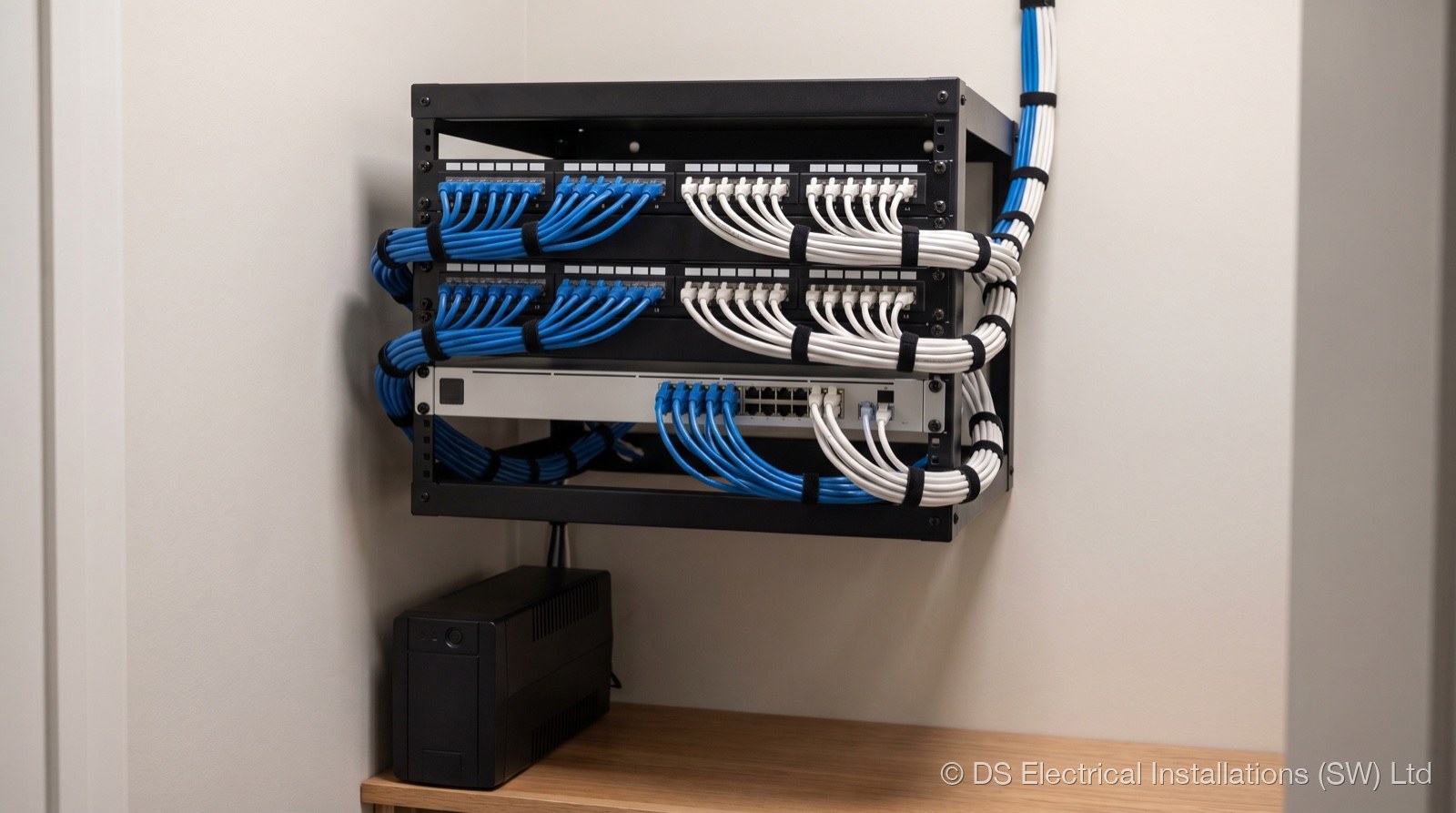
The design pulled the network back to a single managed core: one cabinet, one switch stack, one Wi-Fi controller. Reyee/Ruijie was specified for the access points and switching, cloud-managed, multi-SSID, VLAN-aware, and significantly cheaper to deploy and maintain than the equivalent enterprise stack. PoE+ from the switch carries data and power to the APs in one cable, no separate sockets needed.
| Component | Spec |
|---|---|
| Access points | 8 x Reyee Wi-Fi 6 ceiling mount |
| Core switch | 24-port managed PoE+, gigabit, SFP uplinks |
| Cabinet | 27U floor-standing, fan tray, vertical cable management |
| Patch panel | 96 x Cat6 keystone, 4 x 24-port loaded |
| Cabling | Cat6 U/UTP LSZH, all runs < 90 m |
| Power | Dedicated 16 A radial, RCBO protected, surge-protected device (SPD) |
| UPS | 2U rack-mount, on-line double-conversion |
Network infrastructure service page covers the kit and the methodology in more depth. The point of the design at quote stage is that everything specified is on a quote, not "to be confirmed", the customer sees exactly what they're paying for.
Install timeline (3-day phased)
The three days were sequenced so the floor never lost connectivity for more than a controlled window:
- Day 1, Cabinet + cabling. Cabinet positioned, dedicated power feed installed back to the board, all new Cat6 first-fix runs pulled. Existing network kept live in parallel. End of day: every cable terminated at the floor end, labelled, but not yet patched.
- Day 2, Termination + APs. Patch panel terminated and tested per port (wire-map, length, near-end crosstalk). Eight access points installed, PoE confirmed at the switch. Wall plates fitted in every workspace.
- Day 3, Cutover (out of hours). Old kit decommissioned, devices migrated to new switch, VLAN config pushed from the cloud controller, guest SSID stood up, monitoring configured, UPS commissioned. Floor came up on the new network at start of business.
Commissioning
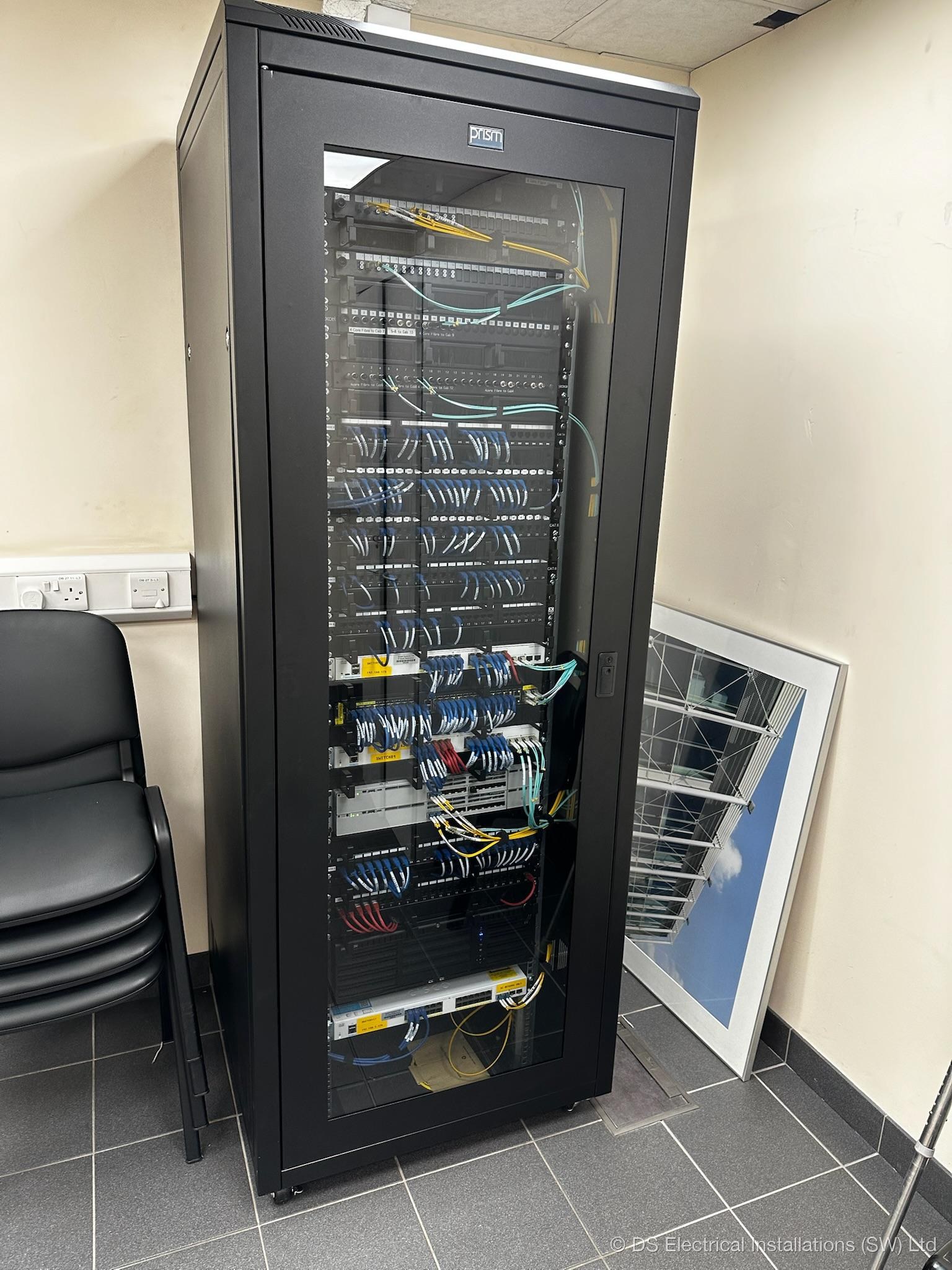
Every port on the panel was tested with a wire-map and continuity tester, no claims about fibre certification, just every port verified working before sign-off. Wi-Fi was walk-tested on each floor with a signal logger, dead spots checked against the original survey, and AP transmit power tuned in the controller until the heatmap was clean.
- Every patch port wire-mapped and labelled to the wall plate
- Every AP heat-mapped on the floor, transmit power tuned in controller
- VLANs verified: internal, guest, voice, IoT
- Cloud controller credentials handed over with a written runbook
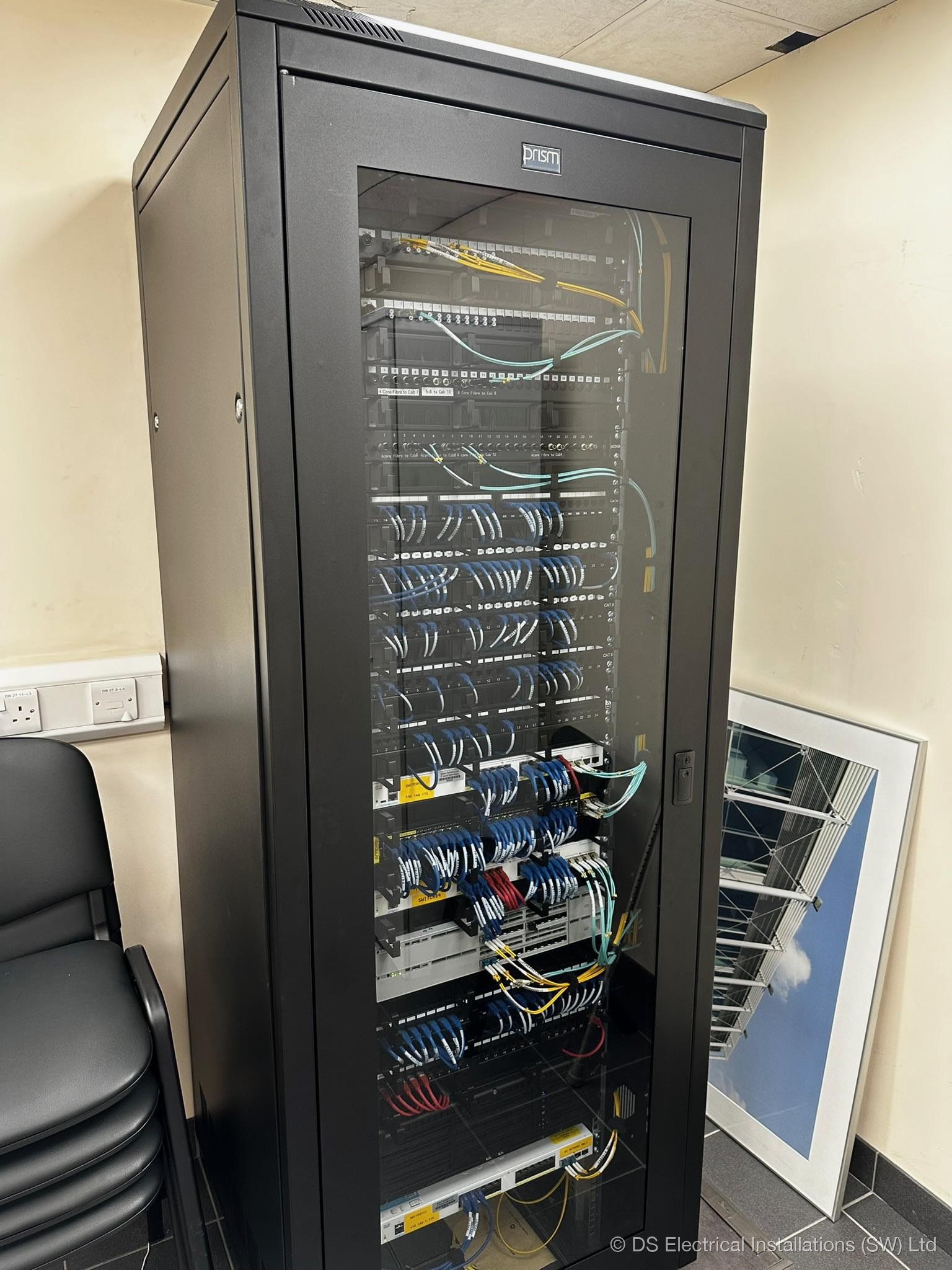
- Cabinet photographed inside and out, photos kept on file
Handover
Handover is paperwork. Test certificate for the dedicated power feed (NICEIC-format Minor Works), patch schedule (a spreadsheet listing every port, what it serves, what VLAN it's in), Wi-Fi heatmap, controller login, and a one-page runbook covering the most likely "what do I do when..." questions. The customer's IT contact got 30 minutes of walk-through; everything else was in writing.
Why this approach. One cabinet, one managed stack, one set of credentials. Every port labelled, every cable tested, every config documented. When something needs changing in 18 months, the next engineer (us or anyone else) can find what they need in 5 minutes, not 5 hours.
The kit list, in case you want to compare
- 8 x Reyee Wi-Fi 6 ceiling-mount access points (PoE+)
- 1 x 24-port managed PoE+ switch with SFP uplinks
- 27U floor-standing cabinet, dressed and labelled
- 96-port Cat6 patch panel (4 x 24-port loaded)
- Cat6 U/UTP LSZH structured cabling throughout
- Dedicated 16 A RCBO-protected feed with surge protection
- Rack-mount UPS, on-line double-conversion
Also see: data networking, Wi-Fi access points, why Reyee/Ruijie for commercial Wi-Fi.